

Large Software Projects: Handling Errors
Posted on November 8, 2025 • 5 minutes • 1050 words • Other languages: Español
This post is part of my Large Software Projects blog series .
- Code Source
- Why Error Handling Matters
- Segment Error Boundary
- Global Error Boundary
- Not Found Page
- Next Steps
Code Source
All code snippets shown in this post are available in the dedicated branch for this article on the project’s GitHub repository. Feel free to clone it and follow along:
https://github.com/franBec/tas/tree/feature/2025-11-08
Why Error Handling Matters
A large software project must allow the user to recover gracefully when something inevitably goes wrong.
Next.js provides component-based patterns for managing both unexpected runtime errors and 404-page failures.
Segment Error Boundary
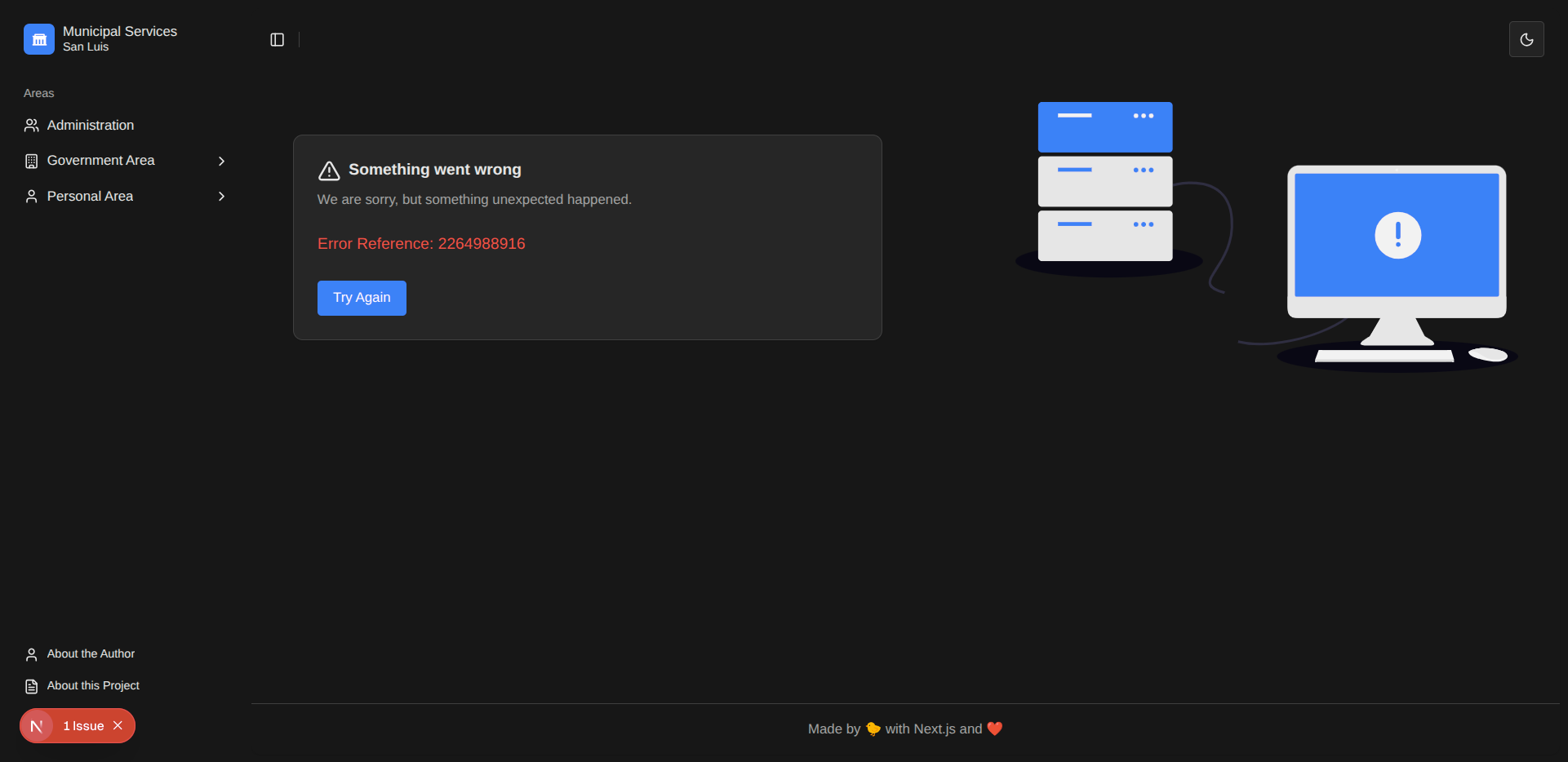
In the App Router, the error.tsx file defines a React Error Boundary specific to a route segment and its nested children.
- Isolation: Errors thrown within a segment (e.g., in a component or an API call within a page) are isolated to that segment, leaving parent layouts, sibling components, and the root application shell functional.
- Hierarchy: Errors always bubble up to find the closest parent
error.tsx. You can define customized error UIs at different levels of the file system hierarchy. - Recovery: The
error.tsxcomponent receives aresetfunction, which, when called, attempts to re-render the content of the boundary.
Here is an implementation for the top-level application error boundary:
"use client";

import { startTransition } from "react";
import Image from "next/image";
import { useRouter } from "next/navigation";
import { AlertTriangle } from "lucide-react";

import { PageLayout } from "@/components/layout/page-layout";
import { Button } from "@/components/ui/button";
import {
  Card,
  CardContent,
  CardDescription,
  CardFooter,
  CardHeader,
  CardTitle,
} from "@/components/ui/card";

interface NextJsError extends Error {
  digest?: string;
}

const ErrorBoundary = ({
  error,
  reset,
}: {
  error: NextJsError;
  reset: () => void;
}) => {
  const router = useRouter();

  // Use startTransition to keep the UI responsive during the refresh operation
  const reload = () => {
    startTransition(() => {
      router.refresh();
      reset();
    });
  };
  return (
    <PageLayout>
      <PageLayout.TwoColumn>
        <PageLayout.LeftColumn>
          <Card>
            <CardHeader>
              <CardTitle className="flex items-center gap-2">
                <AlertTriangle />
                Something went wrong
              </CardTitle>
              <CardDescription>
                We are sorry, but something unexpected happened.
              </CardDescription>
            </CardHeader>
            <CardContent>
              <p className="text-destructive">
                {/* The digest is useful for looking up the error in server logs */}
                {error.digest ? `Error Reference: ${error.digest}` : null}
              </p>
            </CardContent>
            <CardFooter>
              <Button onClick={reload}>Try Again</Button>
            </CardFooter>
          </Card>
        </PageLayout.LeftColumn>
        <PageLayout.RightColumn>
          <Image
            src="/undraw_connection-lost_am29.svg"
            alt="Connection lost illustration"
            width={600}
            height={400}
            className="w-full max-w-lg"
          />
        </PageLayout.RightColumn>
      </PageLayout.TwoColumn>
    </PageLayout>
  );
};
export default ErrorBoundary;
Global Error Boundary
While error.tsx catches errors within a segment, it cannot catch errors thrown in the parent layout.tsx file for the same segment. This is because the layout component sits higher in the React component tree than the boundary itself.
For catching critical errors thrown in the root src/app/layout.tsx, Next.js provides the special file src/app/global-error.tsx.
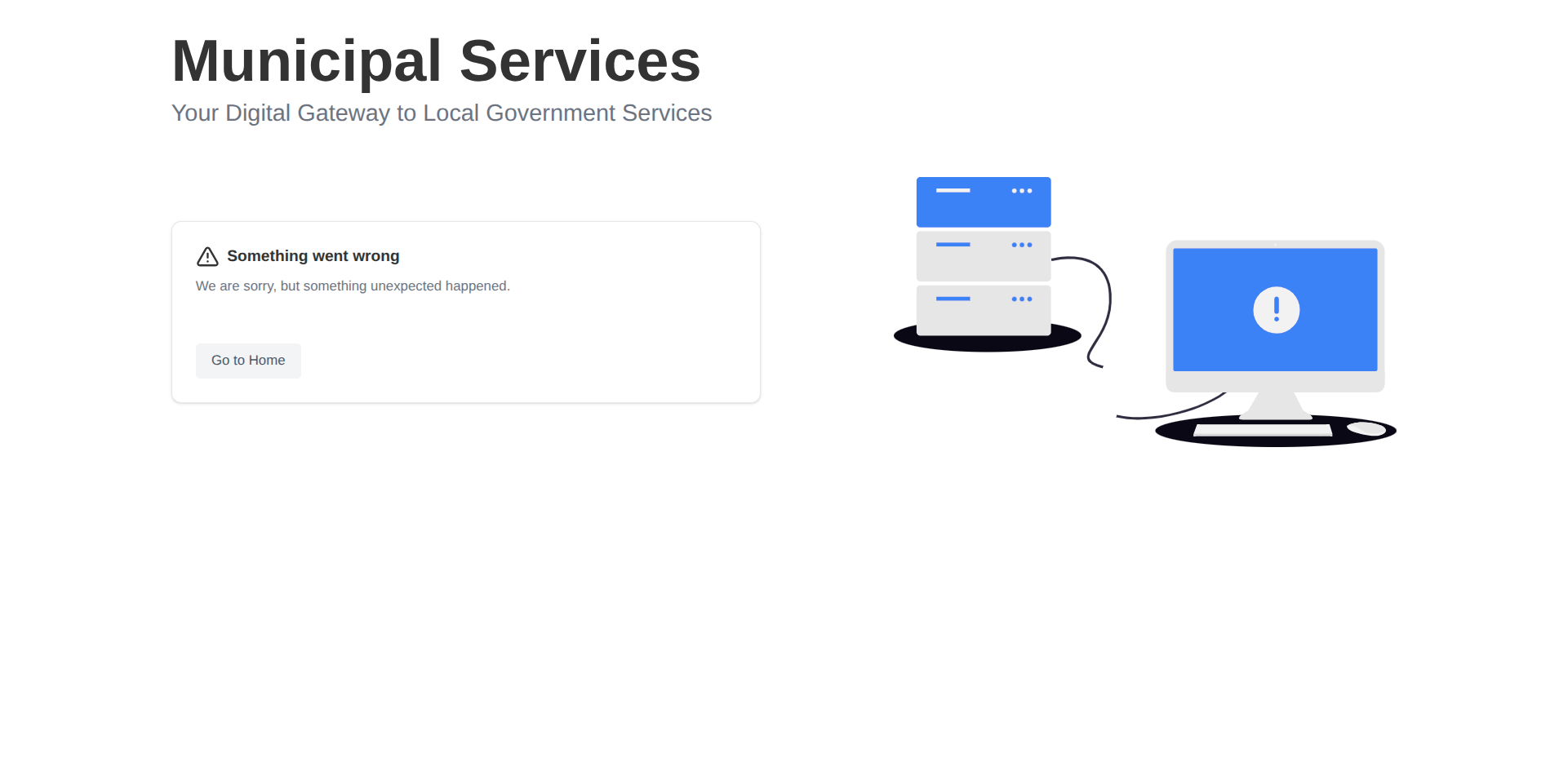
- Behavior: This file acts as the final error boundary. When an error is caught here, it replaces the entire application shell.
- Simplicity is Key: It is highly recommended to keep this component as simple as possible. Since this is the absolute last line of defense, if anything breaks within
global-error.tsx, there is no fallback mechanism. Avoid complex logic or custom hooks. - Requirements/Caveats: Because it replaces the entire document, it must render the root
<html>and<body>tags. Any styling or context (like theme providers or dark mode logic) defined in the root layout will be lost, meaning complex features like dark mode are expected to break. - Scope: The global error boundary only functions in production mode, as development mode provides detailed error overlays.
Here is an implementation:
"use client";

import Image from "next/image";
import { AlertTriangle } from "lucide-react";

import { PageLayout } from "@/components/layout/page-layout";
import { Button } from "@/components/ui/button";
import {
  Card,
  CardContent,
  CardDescription,
  CardFooter,
  CardHeader,
  CardTitle,
} from "@/components/ui/card";

interface NextJsError extends Error {
  digest?: string;
}

const GlobalError = ({ error }: { error: NextJsError }) => {
  return (
    <html>
      <body>
        <PageLayout>
          <PageLayout.Header
            title="Municipal Services"
            subtitle="Your Digital Gateway to Local Government Services"
          />
          <PageLayout.TwoColumn>
            <PageLayout.LeftColumn>
              <Card>
                <CardHeader>
                  <CardTitle className="flex items-center gap-2">
                    <AlertTriangle />
                    Something went wrong
                  </CardTitle>
                  <CardDescription>
                    We are sorry, but something unexpected happened.
                  </CardDescription>
                </CardHeader>
                <CardContent>
                  <p className="text-destructive">
                    {error.digest ? `Error Reference: ${error.digest}` : null}
                  </p>
                </CardContent>
                <CardFooter className="flex gap-4">
                  <Button variant="secondary" asChild>
                    <a href="/">Go to Home</a>
                  </Button>
                </CardFooter>
              </Card>
            </PageLayout.LeftColumn>
            <PageLayout.RightColumn>
              <Image
                src="/undraw_connection-lost_am29.svg"
                alt="Connection lost illustration"
                width={600}
                height={400}
                className="w-full max-w-lg"
              />
            </PageLayout.RightColumn>
          </PageLayout.TwoColumn>
        </PageLayout>
      </body>
    </html>
  );
};
export default GlobalError;
Note on Navigation
Because the root application state is completely broken in a global error scenario, attempting a soft navigation (using Next.js <Link>) is unreliable. We use a standard hard refresh link (<a href="/">) to force a full application reset.
Since this use of <a> instead of <Link> might conflict with standard linting rules, we must add src/app/global-error.test.tsx to the ignores list of eslint.config.mjs.
Testing the Global Boundary
Due to the fundamental differences between React Error Boundaries in development and production, global-error.tsx only activates when running a production build (next build && next start).
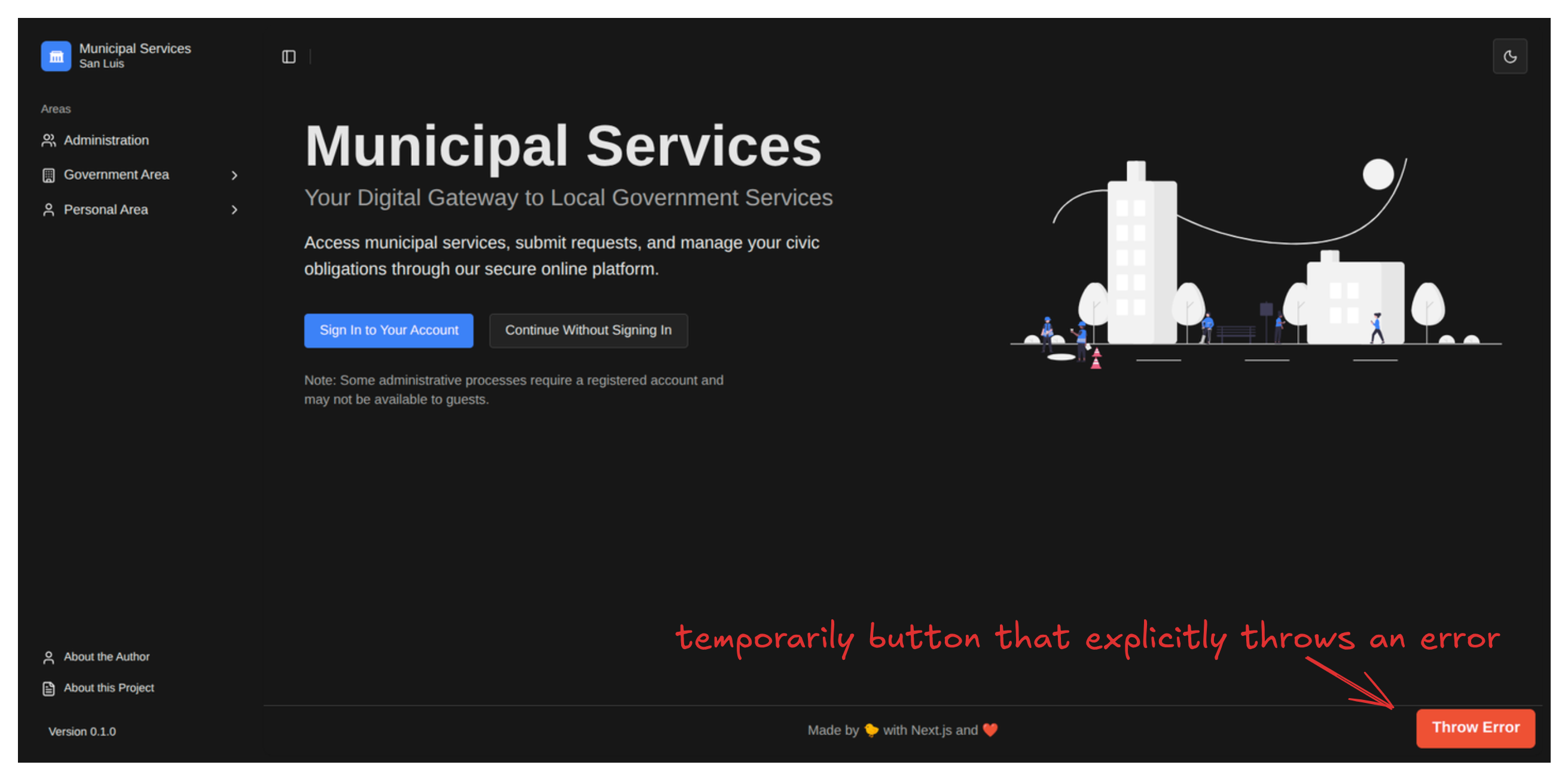
To verify your implementation, you could temporarily introduce a simple button that explicitly throws an error inside src/app/layout.tsx, create a production build, and run the built application.
Not Found Page
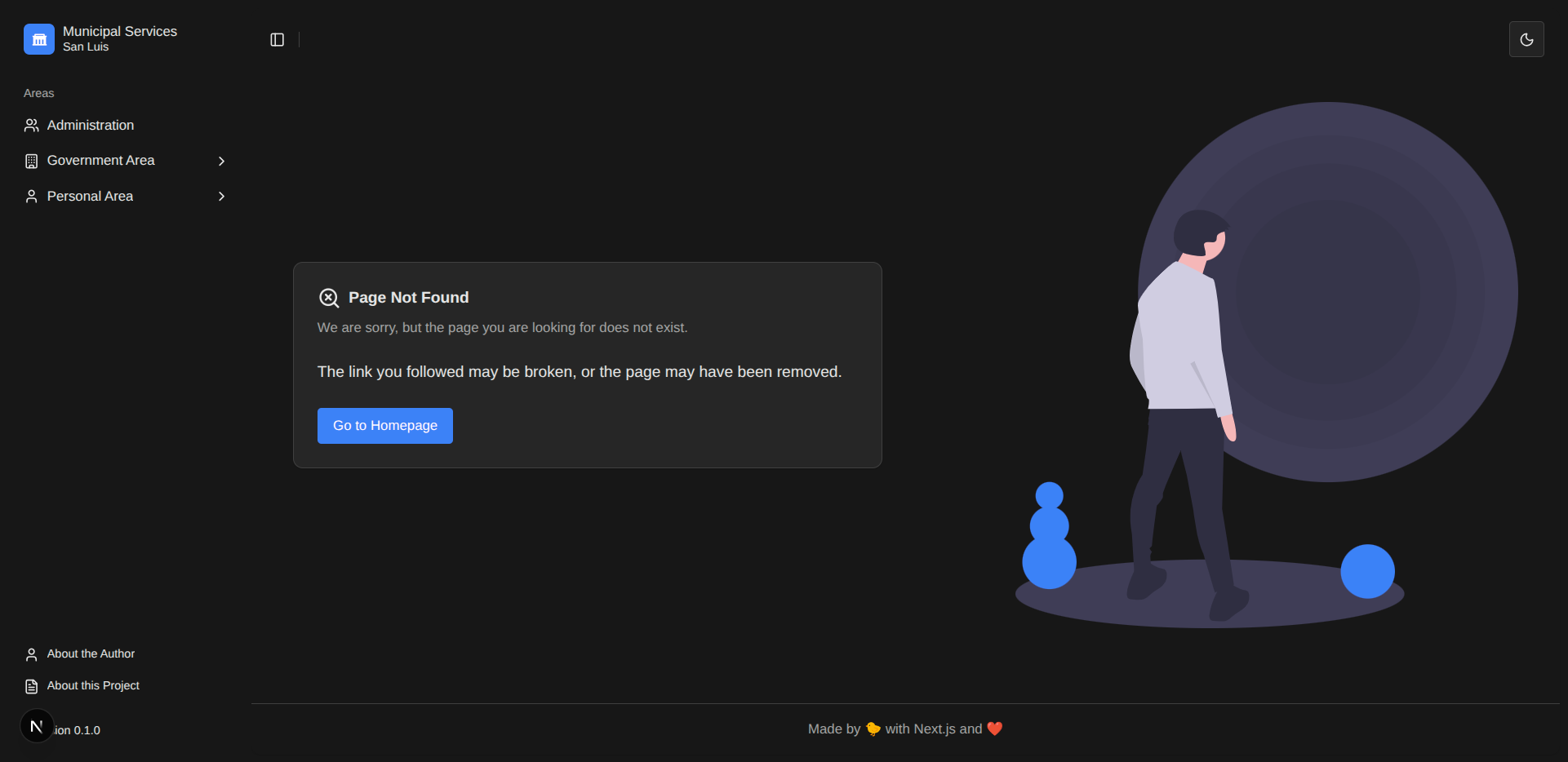
The not-found.tsx file handles 404 errors when a user navigates to a URL that does not match any defined route. This page is triggered either automatically by Next.js when no routes match the URL, or explicitly by calling the notFound() utility function within server components.
Here is our custom src/app/not-found.tsx:
"use client";

import Image from "next/image";
import Link from "next/link";
import { SearchX } from "lucide-react";

import { PageLayout } from "@/components/layout/page-layout";
import { Button } from "@/components/ui/button";
import {
  Card,
  CardContent,
  CardDescription,
  CardFooter,
  CardHeader,
  CardTitle,
} from "@/components/ui/card";

const NotFound = () => {
  return (
    <PageLayout>
      <PageLayout.TwoColumn>
        <PageLayout.LeftColumn>
          <Card>
            <CardHeader>
              <CardTitle className="flex items-center gap-2">
                <SearchX />
                Page Not Found
              </CardTitle>
              <CardDescription>
                We are sorry, but the page you are looking for does not exist.
              </CardDescription>
            </CardHeader>
            <CardContent>
              <p>
                The link you followed may be broken, or the page may have been
                removed.
              </p>
            </CardContent>
            <CardFooter>
              <Button asChild>
                <Link href="/">Go to Homepage</Link>
              </Button>
            </CardFooter>
          </Card>
        </PageLayout.LeftColumn>
        <PageLayout.RightColumn>
          <Image
            src="/undraw_void_wez2.svg"
            alt="Page not found illustration"
            width={600}
            height={400}
            className="w-full max-w-lg"
          />
        </PageLayout.RightColumn>
      </PageLayout.TwoColumn>
    </PageLayout>
  );
};

export default NotFound;
Next Steps
We took a moment to shore up the user experience before diving deep into complex features. We can now tackle the next crucial and complicated architectural challenge: Authentication and Authorization.